> ## Documentation Index
> Fetch the complete documentation index at: https://docs.standardcomputers.net/llms.txt
> Use this file to discover all available pages before exploring further.
# Calendar
The Standard System can be used as a personal calendar server for your own schedules and event tracking without relying on a third-party cloud.
The Calendar interface allows creating multi-day, single-day, and recurring events with categorization.
 ## Events
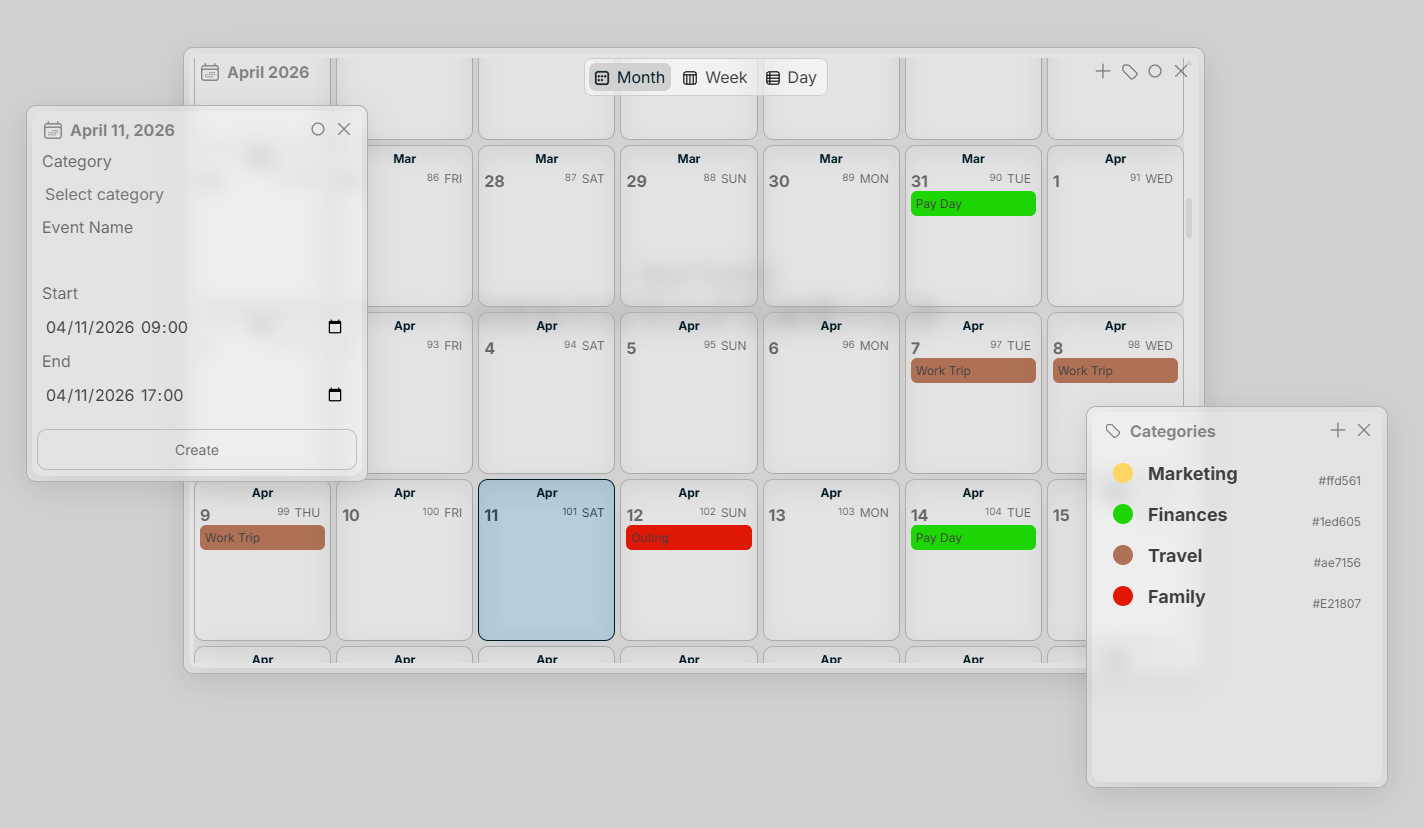
As seen above, create an event by simply right or left-clicking on a date.
### Hover Effect
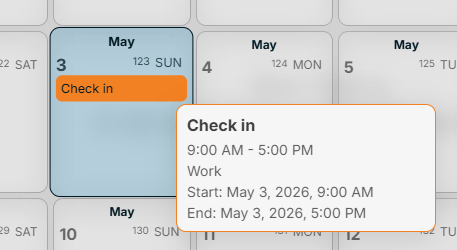
Hover on an event in the Calendar interface to preview details or click an event to view/modify an event.
## Events
As seen above, create an event by simply right or left-clicking on a date.
### Hover Effect
Hover on an event in the Calendar interface to preview details or click an event to view/modify an event.
 ## Categories
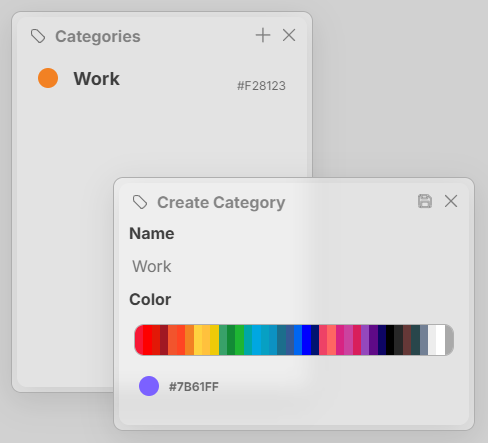
Categories help quickly identify the events you have on your calendar. You can create a calendar by selecting the tag button in the top right of the Calendar interface. Categories have a name and a color.
## Categories
Categories help quickly identify the events you have on your calendar. You can create a calendar by selecting the tag button in the top right of the Calendar interface. Categories have a name and a color.
 ## Shortcuts
| | |
| --------------------- | ---------- |
| Save Cateory/Event | Ctrl + S |
| Modify Event | Ctrl + M |
| Delete Category/Event | Ctrl + Del |
## Shortcuts
| | |
| --------------------- | ---------- |
| Save Cateory/Event | Ctrl + S |
| Modify Event | Ctrl + M |
| Delete Category/Event | Ctrl + Del |