> ## Documentation Index
> Fetch the complete documentation index at: https://docs.standardcomputers.net/llms.txt
> Use this file to discover all available pages before exploring further.
# Alarms
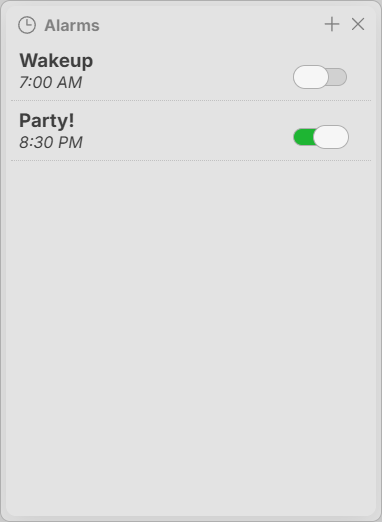
The Standard System includes Alarms, allowing you to set and manage time-based alerts and reminders within your own self-hosted system.
The idea behind Alarms in Standard is that the computer running is connected to a speaker, a sound will play and a notification will be displayed in the Public UI.
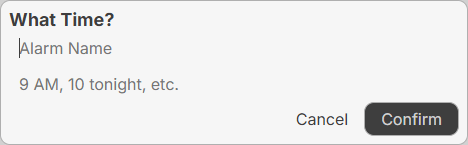
 ## Creating an Alarm
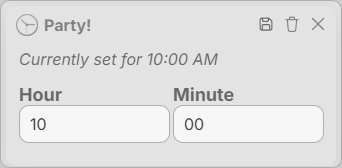
To modify an alarm, click the alarm and get the alarm modification window. From there, you can change the time or delete.
## Creating an Alarm
To modify an alarm, click the alarm and get the alarm modification window. From there, you can change the time or delete.
 ### Deleting an Alarm
To delete an alarm, click the trashcan in the top right corner of the alarm modification window as pictured above.
### Deleting an Alarm
To delete an alarm, click the trashcan in the top right corner of the alarm modification window as pictured above.
 ## Shortcuts
| Action | Shortcut |
| ------------ | ---------- |
| Save Alarm | Ctrl + S |
| Delete Alarm | Ctrl + Del |
## Shortcuts
| Action | Shortcut |
| ------------ | ---------- |
| Save Alarm | Ctrl + S |
| Delete Alarm | Ctrl + Del |